


Genius Art: Image AI Generator
4.353.00 Reviews
App Specs
- Version
- 1.5.9_20260306
- Updated On
- License
- Free
- Downloads
- 1,000,000+
- Developer
- AMOBEAR TECHNOLOGY GROUP
- Categories
- Art & Design
- Platform
- Android
Screenshots
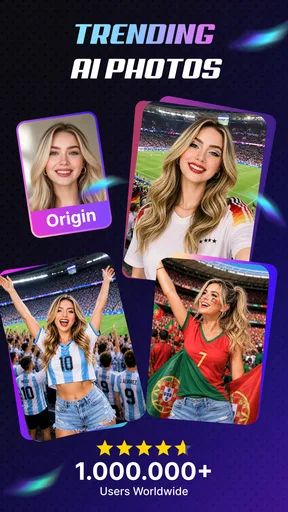
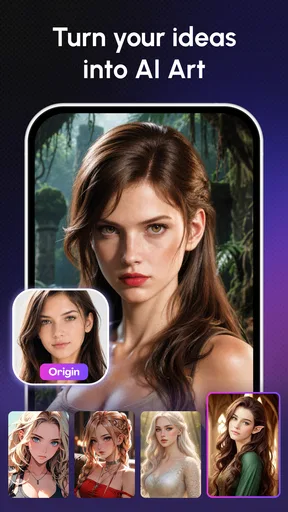
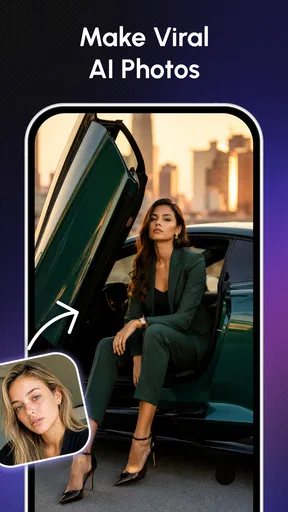
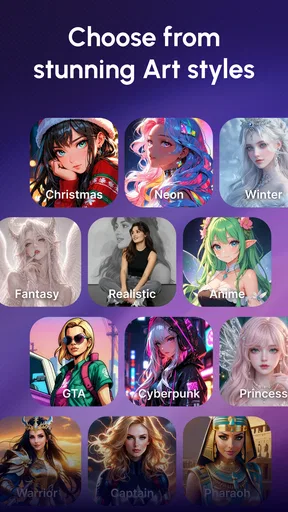
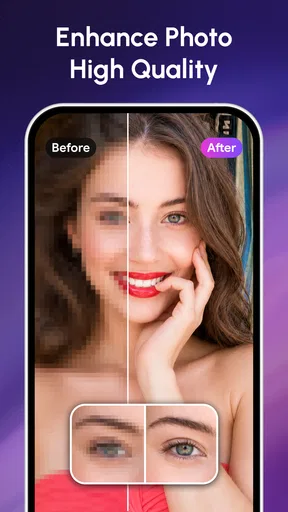
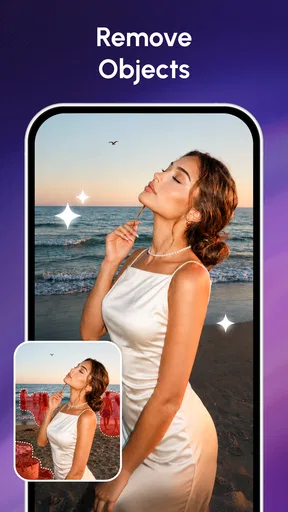
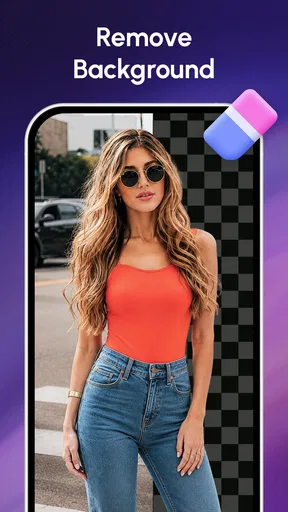
 Analysis by AppCompare
When I want to test an image idea without opening a full desktop art program, I look for a tool that gets me from a rough thought to something I can actually judge quickly. Genius Art: Image AI Generator is aimed at that kind of casual, phone-first creative session. It is an art and design app from AMOBEAR TECHNOLOGY GROUP, and its appeal is the promise of turning an idea into an image with AI rather than asking you to build every detail by hand.
What “quick” means for an AI art app
The word “instantly” can set unrealistic expectations for any image generator. AI still has to interpret an idea and produce an image, so I would treat speed as a convenience rather than a guarantee of zero waiting. The practical benefit is that the creative process can feel more direct than assembling a scene manually in a traditional editor. If I am exploring a visual direction, I can focus on the prompt and the result instead of starting with a blank canvas and drawing every element myself.
That makes the app more useful for trying possibilities than for finishing a precise commission. A prompt can express a mood or broad subject, but small details may not land exactly as intended. I would approach the first result as a draft: check whether the composition and general feel are close, then refine the wording or idea if they are not. This expectation helps keep the process enjoyable instead of turning each imperfect result into a frustrating surprise.
When a short session becomes a longer one
A quick experiment can easily turn into a series of attempts. For example, I might start with an idea for a fantasy-style image, notice that the mood is right but the subject is too prominent, and then try a more specific description. That kind of iteration is where an AI art app earns its place: it lets me explore a concept before committing to detailed editing elsewhere.
There is a trade-off, though. Repeated generation is not the same as carefully editing one image. If I need exact placement, consistent characters across a set, or a controlled brand look, an AI result may take several rounds and still need work in another tool. I would use Genius Art for concept exploration, personal art, and visual inspiration, but I would not rely on it alone for a deliverable with strict specifications.
Reliability and a sensible workflow
For a dependable creative routine, I would keep the original idea clear and avoid changing too many things at once. If a result misses the mark, altering one part of the description makes it easier to understand what helped. Changing the subject, mood, colors, and composition in the same go can make the next image feel different without revealing which adjustment mattered.
I would also save or otherwise keep track of any result I particularly like before moving on to another experiment. That is a useful habit with image-making apps generally: an appealing output can be difficult to recreate if the prompt or settings have changed. Treating each attempt as a separate draft makes it easier to compare options and decide which one is worth polishing.
Worth Reading Before You Choose

EA SPORTS FC Mobile 26 Is a Bigger Football Game, but It Takes Time

Flipboard Shows What News Apps Must Do Beyond the Feed

Switching to Android Auto Means Rethinking Your Driving Routine

Google Calendar Makes a Crowded Week Easier to Manage

Ludo King Makes the Most of the Minutes Between Plans

Baby Panda World Brings Quick Play to Modern Phones, but Its Game Library Feels Busy
Who should use it—and who may prefer another tool
This app makes the most sense for someone who enjoys experimenting with visual ideas but does not want to begin with a complicated art program. It can suit a casual creator looking for inspiration, a hobbyist making images for personal projects, or someone who wants to see how an idea might look before drawing it. A realistic everyday use would be trying a few visual directions for a birthday-card concept during a spare moment, then choosing the strongest idea to refine later.
If your priority is hands-on illustration, precise layer control, or repeatable edits to a particular photograph, a conventional drawing or photo-editing app is likely a better fit. Those tools take more effort, but they usually give you more direct control over individual parts of an image. Genius Art is better viewed as an idea generator than as a replacement for every step in a professional art workflow.
Cost, access, and device expectations
Genius Art is free to download, with in-app purchases ranging from $5.99 to $49.99 per item. I would try the free experience first and decide whether its creative workflow suits me before spending money. Since purchases can represent a meaningful difference in cost, it is worth checking the available options in the app and considering how often you expect to use them rather than assuming that every useful feature or repeated session will remain free.
The app is rated for Everyone and has a 4.7 average from around 10,000 ratings, with over one million installs. It was released on January 9, 2025, and version 1.5.9_20260306 is the current version. Android users need version 8.0 or later. Those details help set basic expectations, but a compatible operating system does not by itself tell you how responsive the app will feel on a particular phone. Image generation can be demanding compared with browsing or writing, so I would close other heavy apps if a device feels strained and allow room for a longer wait when working with a large or complex idea.
For iOS users, the key decision is whether the app is available for their particular device and whether it behaves well on it; I would not assume that an Android version requirement describes Apple hardware. On either platform, a stable connection and a device with some spare resources are sensible conditions for AI image work. If the app pauses or an attempt does not finish as expected, I would first check the connection, reopen the app, and retry with a simpler idea before repeating a complicated prompt several times.
First Impressions
When you first open up Genius Art: Image AI Generator, you’re greeted by a sleek, user-friendly interface. Everything feels intuitive, which is great because, let’s face it, nobody likes fiddling around trying to figure out how an app works. The home screen offers quick access to the main features, so you can dive right into creating your masterpiece.
Getting Creative
Let’s talk features. The app offers a variety of styles and filters that you can apply to your images. Whether you want to transform a simple photo into a vibrant painting or a futuristic digital piece, the app’s got you covered. I was impressed by the range of options available. It’s like having a mini art studio right in your pocket.
You begin by uploading an image or taking a new photo. From there, you can choose from a selection of styles. The app uses AI to apply these styles, and the results are often mind-blowingly good. You can literally see your photo morph into a work of art in real time.
Exploring the Features
One of the standout features is the style editor. It lets you tweak your chosen style to better suit your vision. You can adjust various parameters like intensity and color tones, which adds a layer of personalization to your art. This is perfect for those who want more control over the final output.
Another cool aspect is the art community integrated within the app. Here, you can share your creations and get inspired by other users’ works. It’s a fantastic way to connect with like-minded individuals and exchange creative ideas. Plus, who doesn’t enjoy a bit of art appreciation?
Performance and Usability
In terms of performance, the app runs smoothly on both Android and iOS. I didn’t encounter any lag or crashes, which is always a plus. The AI processing is quick, so you’re not left waiting around for your image to render. It’s efficient, which is crucial for those of us who are a bit impatient.
Usability-wise, it’s pretty straightforward. The learning curve is minimal, and the app does a good job of guiding you through the process. If you ever find yourself stuck, there’s a handy help section that provides useful tips and tricks.
Final Thoughts
So, is Genius Art: Image AI Generator worth a download? Absolutely! Whether you’re a seasoned artist looking for a new tool or just someone who enjoys dabbling in digital art, this app offers something for everyone. It’s a fun, creative outlet that allows you to explore your artistic side without the need for expensive software or equipment.
In conclusion, Genius Art: Image AI Generator is a fantastic tool for unleashing your creativity. With its user-friendly interface, a wide range of styles, and an engaging community, it’s a must-have for anyone interested in digital art. So go ahead, give it a whirl, and watch your imagination come to life!
Pros
- Intuitive user interface for easy navigation.
- Offers a wide variety of art styles.
- Fast processing of images.
- No prior art skills needed.
- Frequent updates with new features.
Cons
- Limited free version features.
- May require high device storage.
- Occasional lag during peak times.
- Subscription can be pricey.
- Some styles need internet access.
FAQs for Genius Art: Image AI Generator
What is Genius Art: Image AI Generator and how does it work?
Genius Art: Image AI Generator is an app that utilizes advanced artificial intelligence to create stunning artwork from your photos or ideas. Users input an image or a text prompt, and the AI processes the data to generate a unique piece of art. It's perfect for both casual and professional use, allowing users to explore creativity effortlessly.
Is Genius Art: Image AI Generator free to use?
Genius Art offers a free version with basic features, allowing users to explore the primary capabilities of the app. However, for enhanced functionalities and access to premium tools, there are in-app purchases and subscription options available. This tiered model ensures that users can choose the best plan based on their artistic needs and budget.
What kind of art styles can Genius Art generate?
Genius Art: Image AI Generator is equipped with a wide range of art styles, from classic paintings to modern digital art. Users can select from various filters and styles such as abstract, impressionist, and surreal. The app regularly updates its library to include trending art styles, ensuring users have access to the latest artistic expressions.
Is Genius Art suitable for professional artists?
Yes, Genius Art is designed to cater to both amateur and professional artists. Its advanced AI capabilities provide high-quality outputs that can be used for professional projects. Additionally, the app's intuitive interface makes it easy to integrate AI-generated art into professional workflows, offering a new dimension to artistic creation.
How secure is my data with Genius Art: Image AI Generator?
Genius Art prioritizes user privacy and data security. The app uses encryption to protect your images and personal information. Additionally, it adheres to strict privacy policies and does not share user data with third parties without consent. Regular updates ensure compliance with the latest security standards, providing peace of mind for all users.


